Scuba Diving Computer — The First Piece of Life-Support Gear to Buy
A dive computer measures depth and time continuously and runs a decompression model to show your remaining no-decompression time, ascent rate and safety stops. PADI’s 2026 guide puts a basic computer at $250–$400 and one with a two-gauge console at $400–$600; popular wrist models run from about $260 to $650, with air-integrated and technical computers well above $1,000. Most instructors suggest it as the first major item to buy.
What does a dive computer do?
It replaces the dive tables of the past with a running calculation. A pressure sensor measures depth every few seconds; the computer models how much nitrogen your body tissues absorb and release, and shows how many minutes you can stay at your current depth before you would need decompression stops. It also warns if you ascend too fast, counts down safety stops and tracks surface intervals between dives. After the dive it stores a log.
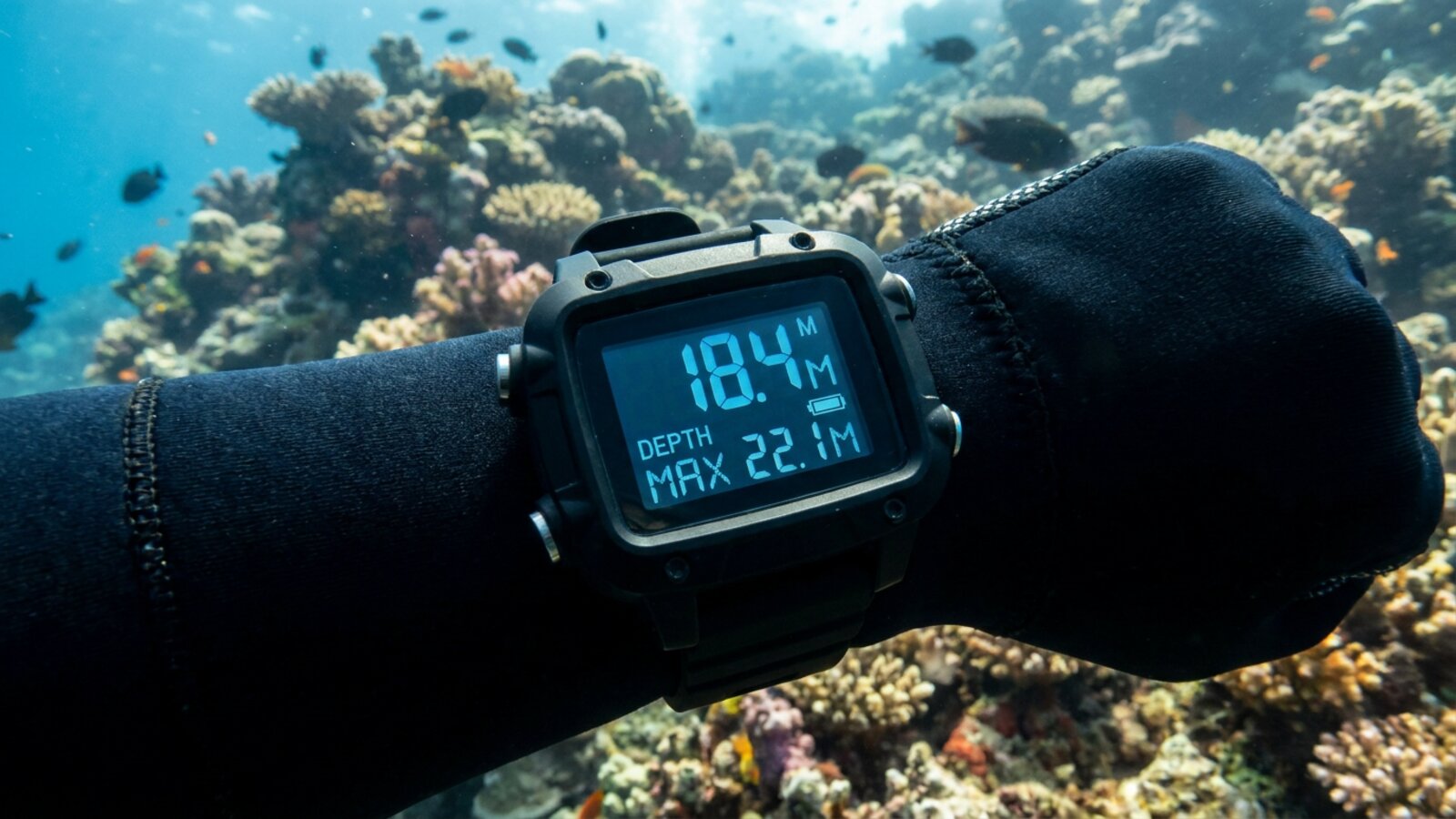
What types of dive computer are there?
| Type | Typical price | Pros | Cons |
|---|---|---|---|
| Puck-style wrist | ~$250–$400 | Affordable, simple | Small screen, basic logging |
| Watch-style | ~$500–$1,000+ | Wear every day; GPS on some | Small screen; price |
| Large-screen wrist | ~$500–$1,000+ | Easy to read, tech-capable | Bulky |
| Console-mounted | ~$400–$600 with gauges | Combines with SPG and compass | Easy to lose sight of |
| Air-integrated | Often $700+ plus transmitter | Shows tank pressure and air time | More cost and batteries |
Example 2025 prices from Divernet’s list of computers under $650: Cressi Leonardo 2.0 about $260, Suunto Zoop Novo about $300, Mares Puck 4 about $350, Oceanic Veo 4.0 about $380, Aqualung i330R about $399, Scubapro Aladin A2 about $480, Garmin Descent G1 $549, Shearwater Peregrine about $575 and Suunto D5 about $649.
Why do different computers give different limits?
Each runs a different decompression model with different conservatism settings. Many use variants of the Bühlmann ZHL-16C model, often with adjustable gradient factors; others use RGBM-based models. On the same dive one computer may allow several more minutes than another. Neither is “right”: they are models, not measurements of your body. Pick a conservative setting if you are older, dehydrated, cold, tired or diving repetitively over several days.
What features should a first computer have?
- A clear, readable display in low light.
- Nitrox support, which most modern computers have.
- Simple menus you can operate with gloves.
- User-replaceable or rechargeable battery.
- A logbook app or download so you keep your dive history.
- Optional: air integration and a digital compass.
Do I still need a watch or tables?
Most divers carry only a computer now, and modern courses teach computer diving. Some keep a dive watch or basic backup timer for redundancy, and technical divers usually carry two computers. See scuba diving watches.
How do I care for a dive computer?
Rinse it in fresh water after every dive and let it dry away from direct sun. Check the battery before each trip; many failures are simply flat batteries. Keep the firmware updated through the maker’s app, and have pressure sensors and transmitters checked if readings look wrong. Download your logs regularly so a lost computer does not mean a lost dive history.
How do you read a dive computer screen?
Most screens show the same core numbers. Learn where each one sits before you get in the water.
- Current depth: usually the largest number, in metres or feet.
- Dive time: minutes since you descended past the start depth, often around 1–1.5 m.
- No-decompression limit (NDL): minutes left at your current depth before you would need mandatory stops. This is the number to watch.
- Ascent rate: a bar graph or arrow that warns when you rise too fast.
- Maximum depth and temperature: handy for logging and planning.
- Gas setting: air or the nitrox percentage you entered; on air-integrated models, tank pressure and remaining air time.
- Safety stop timer: appears near the end of the dive, typically at around 5 m (15 ft) for 3 minutes.
Read the manual and practise in the shop or at home: scroll through the alternate screens, set the gas, and check how the alarms look and sound. A computer you cannot read quickly underwater is not doing its job.
How do nitrox settings work?
If you dive enriched air nitrox, you must tell the computer the oxygen percentage you are breathing before every dive. With less nitrogen in the mix, it gives you longer no-decompression limits. It also uses the oxygen fraction and a maximum partial pressure, commonly set to 1.4 bar for recreational diving, to calculate your maximum operating depth and warn you if you go deeper. Many computers also track oxygen exposure as a percentage of a recommended limit, shown as CNS%.
Always analyse your own tank, confirm the percentage on the label, and set the computer to match. Diving air with the computer set to nitrox gives you limits that are too generous; diving nitrox with the computer set to air is safe for nitrogen but gives no oxygen warnings. Some computers reset to air after each dive or after a set time, so check the setting at every descent.
What are gradient factors?
Computers using Bühlmann-based models often let you adjust conservatism through two numbers called gradient factors, written like “40/85”. They express how close the model lets your tissues come to its theoretical limit for supersaturation, as a percentage. The second number, the high gradient factor, has the biggest effect on recreational no-stop dives: a lower value shortens your no-decompression limits and makes the computer more conservative. The first number mainly affects where the first stop falls on dives that require decompression. Other computers offer simpler conservatism settings labelled low, medium and high, or numbered levels. If you are new, leave the factory setting or choose a more conservative one; do not tune for longer bottom times.
What happens if you exceed the limits?
The computer switches to decompression mode and shows mandatory stops. Follow them.
If you stay beyond your no-decompression limit, the display changes to show a ceiling depth and stop time. You must ascend slowly and not rise above that ceiling until the computer clears the obligation. If you skip required stops, most computers enter a violation or error mode and may lock out decompression calculations for a period, commonly 24 hours or more, to keep you from diving again on bad data. Missing an optional safety stop usually just triggers a warning. Any symptoms after a dive, such as joint pain, numbness, unusual fatigue or rash, should be treated as possible decompression sickness: breathe oxygen if available and contact emergency services or a diving medical hotline.
How long should you wait before flying?
Most dive computers display a no-fly time after the dive. As a general guide, the Divers Alert Network recommends a minimum surface interval of 12 hours after a single no-decompression dive, 18 hours after multiple dives or multiple days of diving, and substantially longer after dives that required decompression stops. When the computer’s no-fly time and the guideline differ, follow the longer one. See scuba diving and the bends.
What does a dive computer do?
It tracks depth and time and calculates your remaining no-decompression time, ascent rate and safety stops.
How much does a dive computer cost?
About $250–$400 for a basic model and $400–$600 with a console; air-integrated and technical models can exceed $1,000.
Do I need a dive computer?
Most dive operators now expect one, and it is the first major item instructors recommend buying.
Can I use a smartwatch as a dive computer?
Only purpose-built dive computers or dive watches with certified dive modes; standard smartwatches are not dive computers.
Why do dive computers disagree?
They use different decompression models and conservatism settings. On the same dive one may show a few more minutes of no-decompression time than another. Dive buddies with different computers should follow the more conservative one.
What is an air-integrated dive computer?
One that reads tank pressure from a transmitter on the regulator and shows remaining air time.
How long do dive computers last?
Many last a decade or more with battery and sensor care.
Should beginners buy a watch-style computer?
It is convenient but more expensive; a puck-style computer is a good first buy.
- PADI (March 2026): How much does dive gear cost?
- Divernet (2025): dive computers under $650.
Blane Perun has been exploring Earth’s oceans and marine life for over 25 years. Founder of TheSea.Org in 1999, underwater photographer, coral aquaculture pioneer, and explorer of 80+ countries.
About Blane Perun →